TON protocols, jettons and organisations: how the ArrayTON catalogs fit together

The catalogs answer two questions: what is this project, and who stands behind it. Every entry is linked to others, so you can move from a protocol to its jettons, from a jetton to the organisation that issued it and from there to the wallets it uses. See the overview for the whole map.
The four building blocks
| Entity | What it is | Example question |
|---|---|---|
| Protocol | A product: DEX, lending, staking, game, infrastructure | “What does this app do and which tokens belong to it?” |
| Jetton | A token, see jetton analysis | “Which project issued it?” |
| Organisation | A team, fund or exchange behind products | “What else does this team run?” |
| Catalog | A category that groups protocols | “Show me all lending protocols” |
Step 1. Browse and search
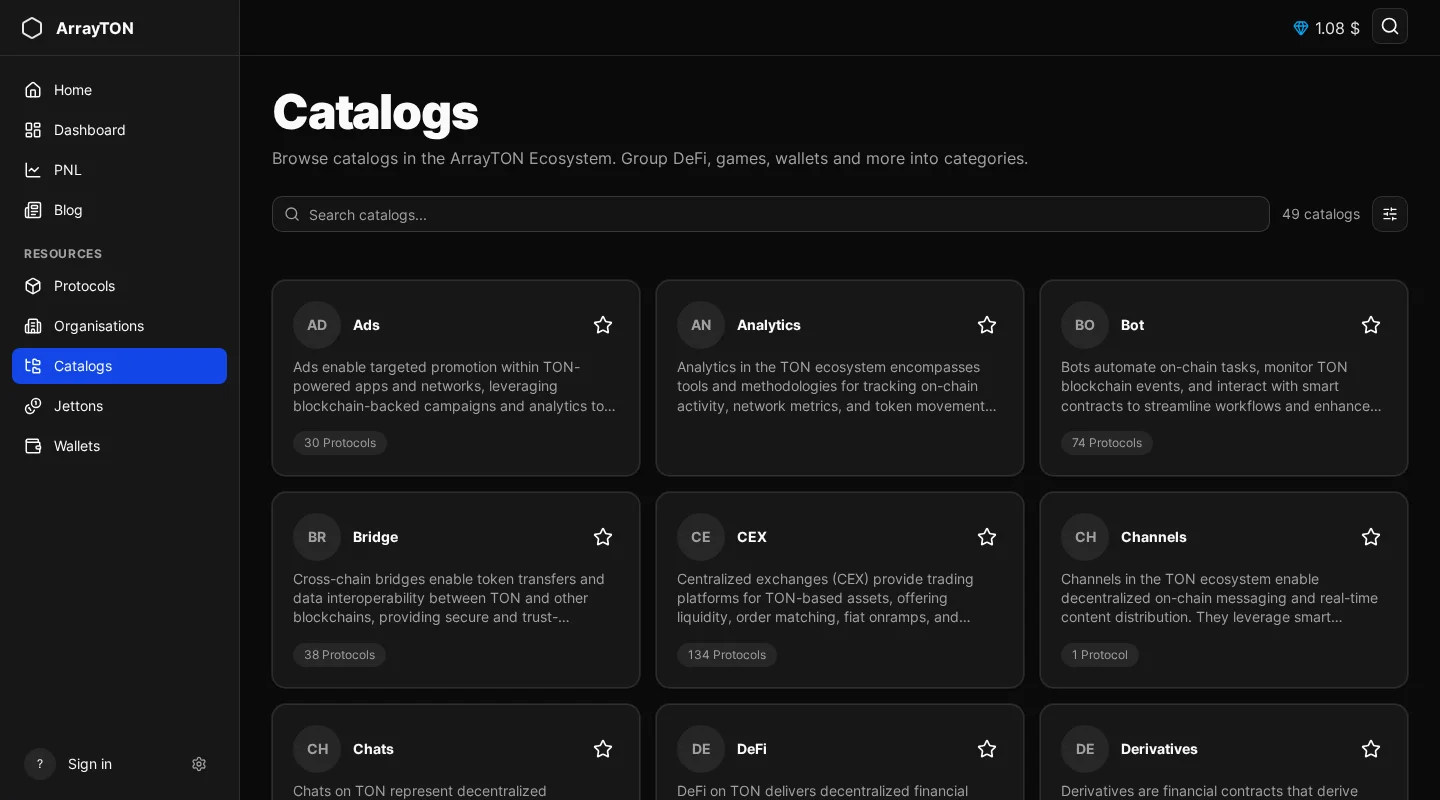
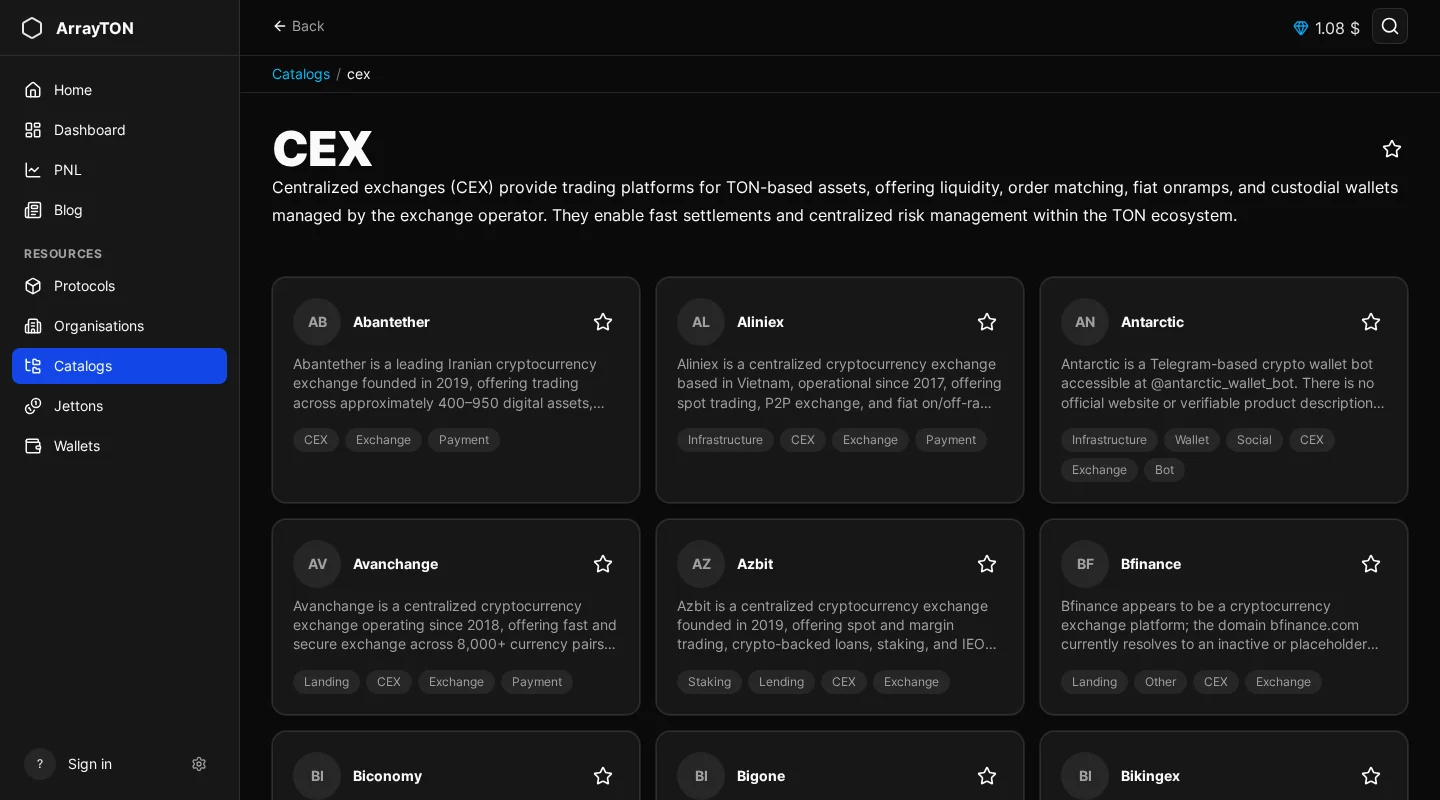
Each section has a list with search, sorting and a total count. Open a catalog to see the protocols inside it; if it has none, the page says so. The global search finds all four types at once.
Step 2. Read a protocol page
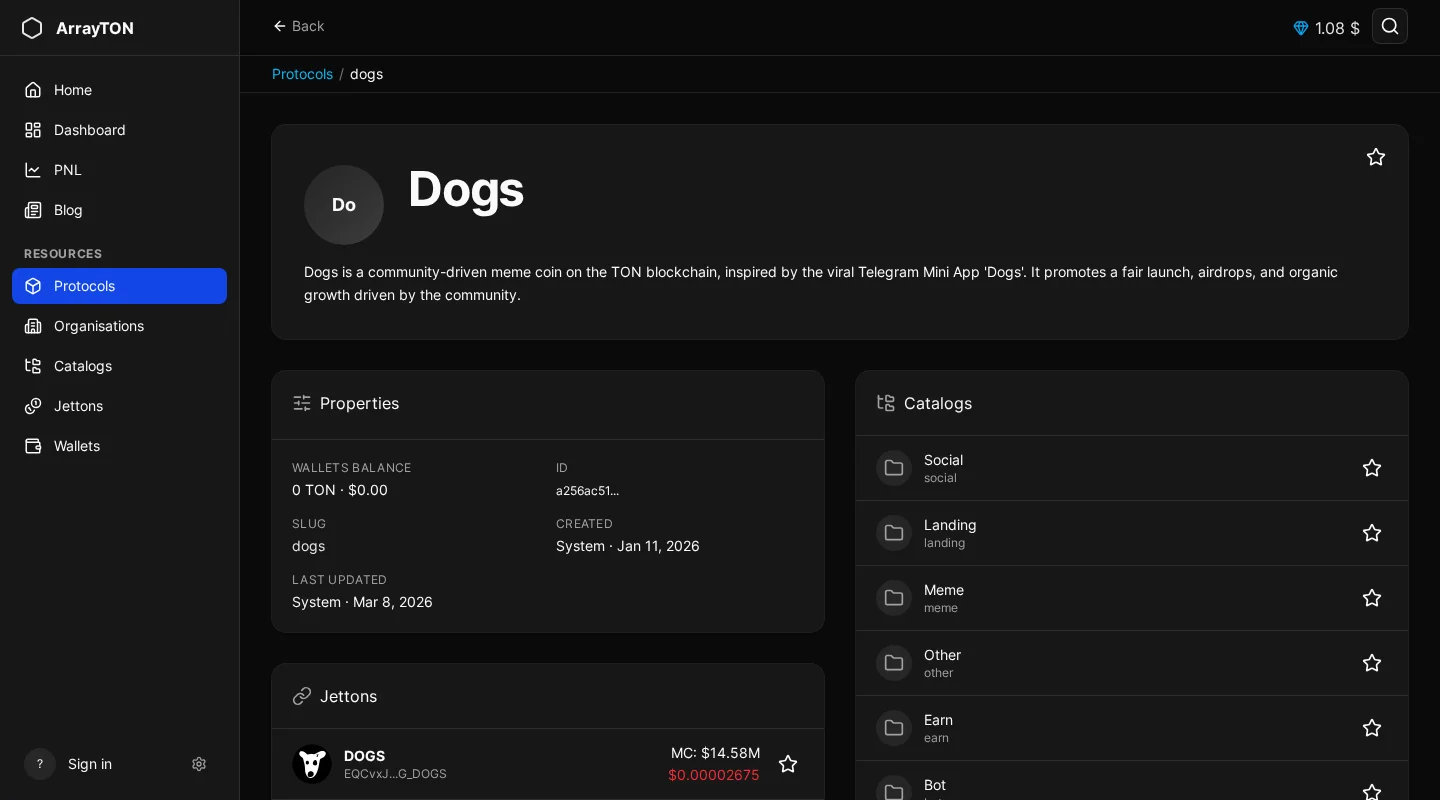
The protocol page has a Properties card (wallets balance, slug, home catalog, created and last updated dates) and a Links card, plus linked lists of jettons, catalogs, organisations and wallets. “Wallets balance” is the sum of the balances of wallets linked to the protocol, expressed in TON. An empty list means nothing has been linked yet, not that nothing exists.
Step 3. Read an organisation page
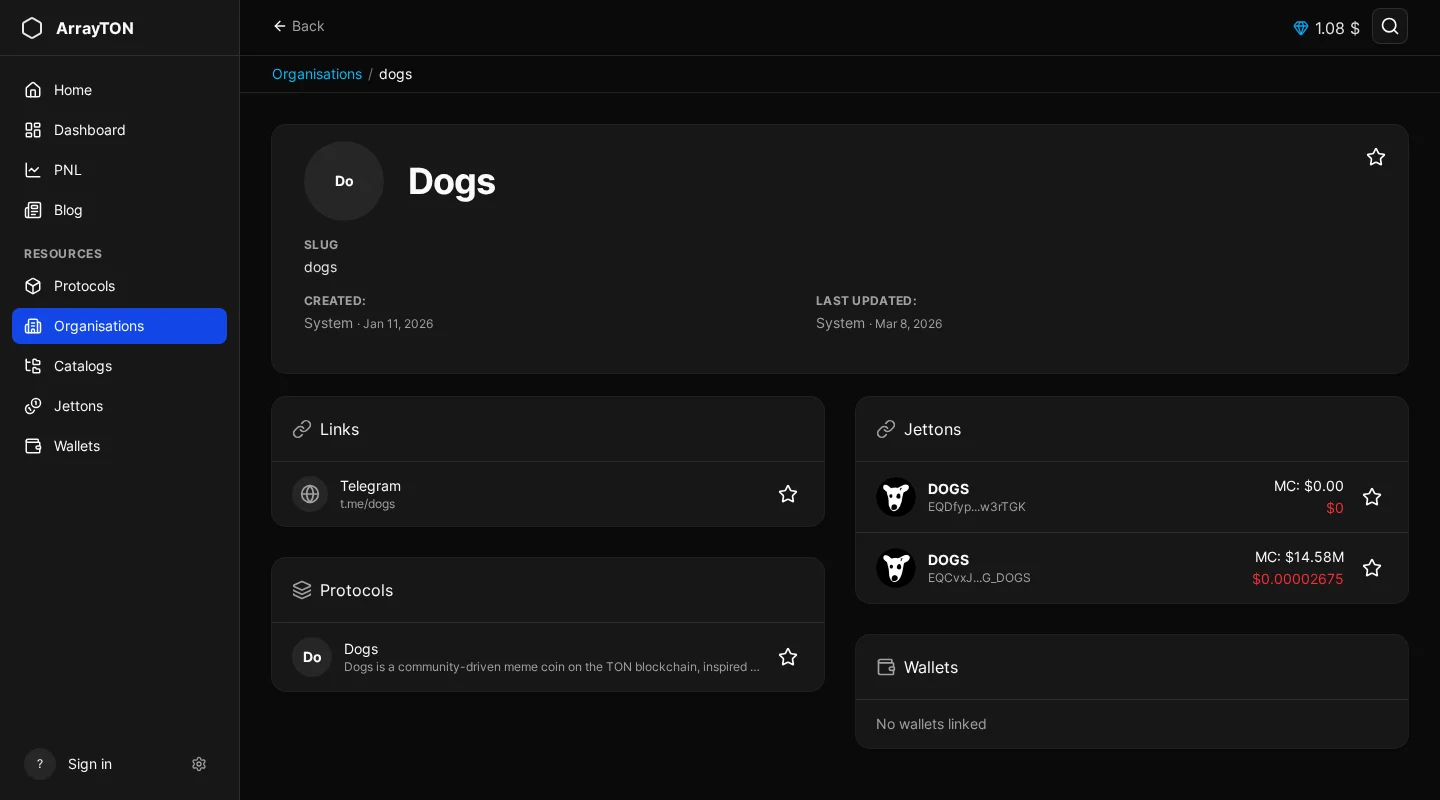
The header shows status flags: verified, scam, inactive, hidden or featured on the home page. Cards list its links, protocols and jettons (with market cap). This is the fastest way to see everything a team has launched.
Step 4. Check who edited an entry
Entries show a Contributors block: who added it, who made the last edit and what changed, and entries imported by label sync from the ton-labels dataset are marked as such. If you see a banner about pending changes, a suggestion is waiting for moderator review and is not yet visible to everyone.
Step 5. Add or correct an entry
Signed-in users can use Add protocol, Add organisation or Add catalog. You need a slug (lowercase Latin letters, digits, hyphens, underscores and $), a name, and optionally a description, website and logo URL.
- Staff changes are published immediately.
- Regular users create a hidden draft that goes to moderation; after approval it appears for everyone. You can see your own pending proposal.
You can also link jettons to a protocol by contract address; if the jetton is not in the database yet, the portal creates it and starts analysis.
Tips
- Start from a jetton and go “up” to its protocol and organisation to judge credibility.
- Start from an organisation and go “down” to see every jetton and protocol it controls.
- Treat missing links as a gap in data, not as proof of anything.
Frequently asked questions
Why is my submission not visible? It is waiting for moderation.
Can I change a verified entry? Changes by regular users go through review.
Next step
Save what you track: favorites, profile and wallet linking.
All guides in this series
- Overview: what is on the portal
- How to analyse a jetton
- Who trades a jetton: market maker dashboard
- How to analyse a wallet
- Wallet PnL from swaps
- Protocols, jettons, organisations and catalogs (you are here)
- Favorites, profile and wallet linking
- Leaderboard and public profiles