ArrayTON overview: what you can find and do on the TON analytics portal

ArrayTON is a portal for analysing the TON network: you paste an address or a name and see what it is, who is behind it and how it has been moving money. No install is needed. This article is the map of the portal and the entry point to a series of step-by-step guides.
What is on the portal
Everything is linked to everything else: from a protocol to its jettons, from a jetton to its holders, from a wallet to the organisation behind it.
| Section | What you get | Guide |
|---|---|---|
| Protocols | DEXes, lending, staking, games and infrastructure: categories, descriptions, links, related jettons | Guide 5 |
| Jettons | Price and chart, market cap, holders, holder distribution, links to protocols and organisations | Guide 1 |
| Market maker dashboard | Wallets that traded a jetton in the analysed window | Guide 2 |
| Wallets | Balance, last activity, tags, protocols and organisations, transfer graph | Guide 3 |
| PNL | Profit and loss for swaps of any wallet | Guide 4 |
| Organisations and catalogs | Who stands behind a product; thematic groupings | Guide 5 |
| Search | One box for wallets, jettons, protocols and organisations | below |
Three scenarios to start with
1. “Is this jetton worth my attention?” Open the jetton page, look at the status labels, the chart and the holder distribution. See how to analyse a jetton.
2. “What is this address?” Paste the address into search. If it is known to the portal, you will see tags, the protocols and the organisation it belongs to. See how to analyse a wallet.
3. “How is this wallet doing in trades?” Open the PNL section, paste an address starting with EQ or UQ and the portal shows swap profit and loss. Events are loaded from TonAPI, so for a wallet that is new to the portal the first sync takes a moment.
How search works
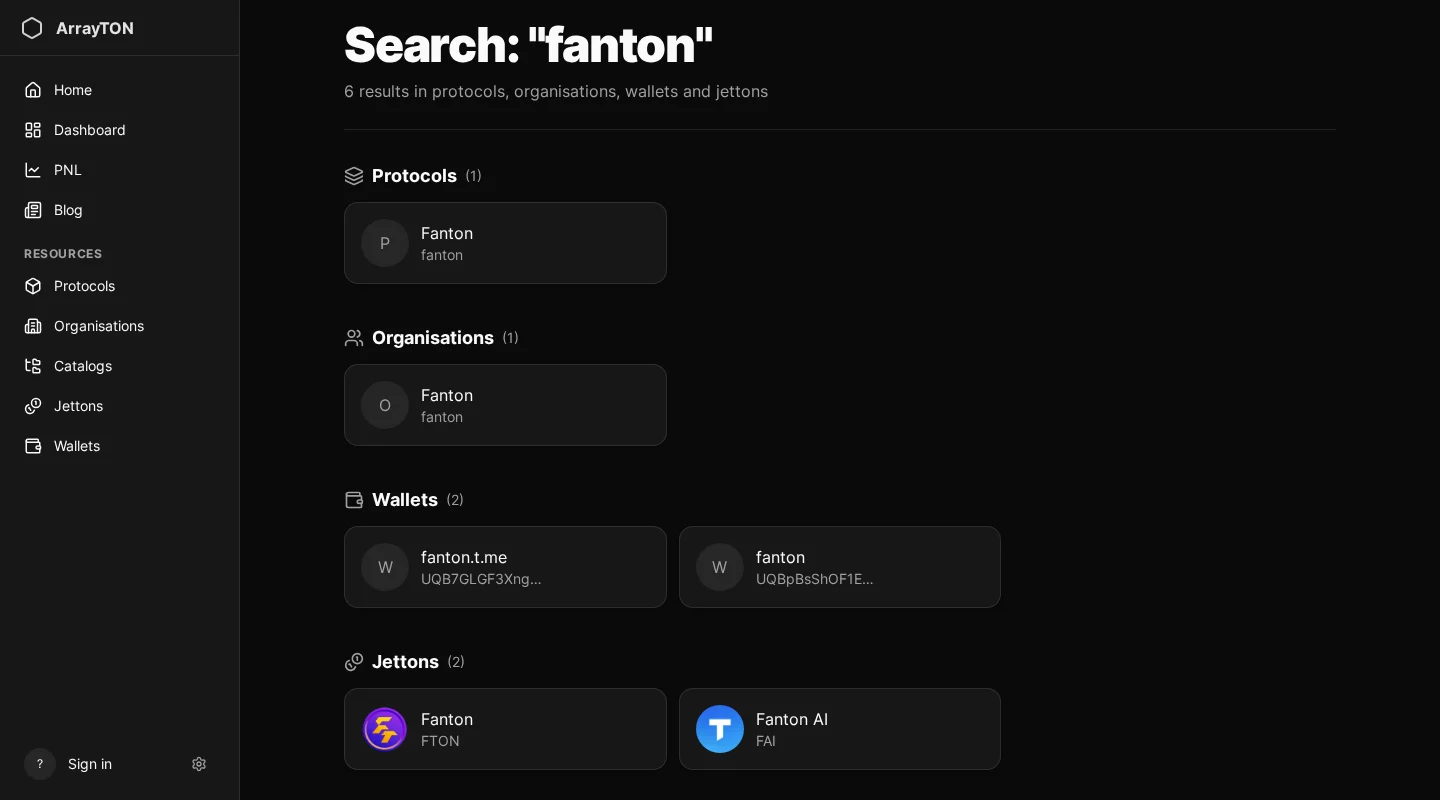
The search box looks across protocols, organisations, wallets and jettons at once and shows suggestions as you type. Press “Show all results” to see the full list with counts per type. If nothing is found, try the symbol of a jetton or the exact address.
Signing in
You can browse catalogs and open wallet and jetton pages without an account. Sign-in (TON Connect or Telegram) unlocks personal features: favorites, your own wallet page, and actions such as starting an events sync or rebuilding PnL. Signing in proves that you own an address. The private key and the seed phrase stay in your wallet, and the portal never asks for permission to send transactions.
Limits to keep in mind
- Charts show an approximate price history; FDV is estimated from the current total supply, so numbers may differ from other services.
- Analyses of holder distribution and traders are snapshots with a visible “last update” time, not live feeds.
- Labels are curated data. A wallet without a label is not necessarily “clean”, just unknown.
- Nothing here is investment advice.
Next step
Start with how to analyse a jetton: it is the most common reason people open the portal.