How to analyse a TON wallet: balance, labels, history and who is behind it
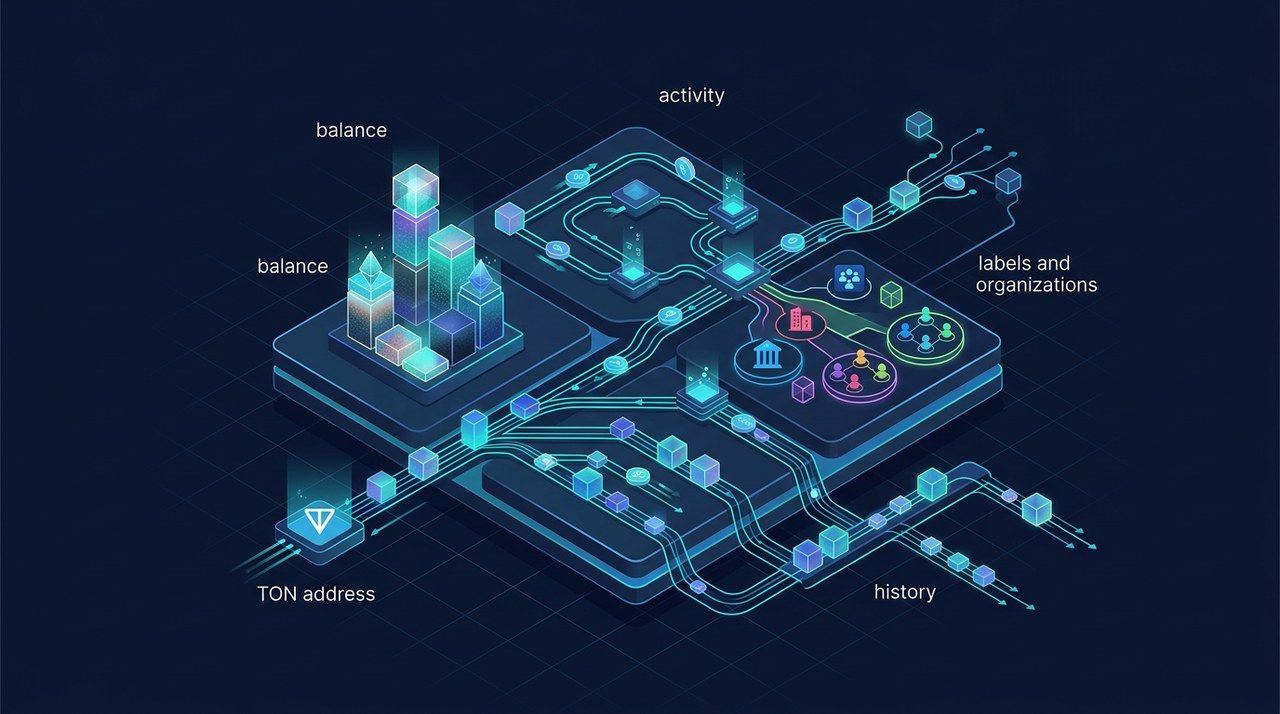
To understand a TON address, look at what it holds, how money moves through it and what the portal knows about who is behind it. The wallet page on ArrayTON puts these together. This guide goes through it from top to bottom, using a labelled exchange wallet as the example (data as of November 18, 2026). Start with the overview if you are new here.
Step 1. Open the wallet page and read the header
Paste the address into search, or open it from a table, for example from the top holders of a jetton or from Top traders.
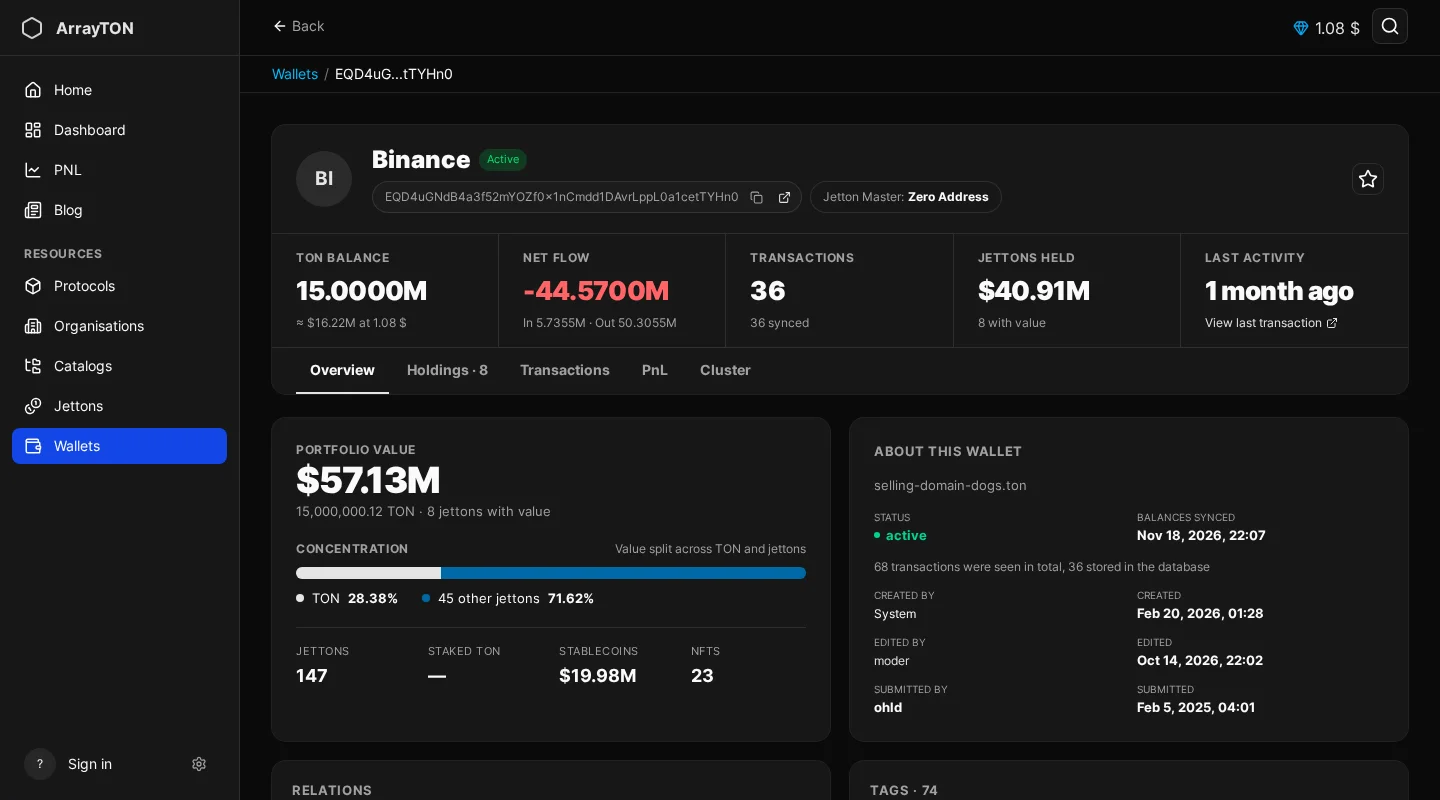
The header shows the wallet name or label (here Binance), a status badge such as Active, the address with copy and open buttons, the jetton master if the address is one, and a star for favorites. Other badges you may meet are Verified, Scam, Hidden, Dead and Sleep; they describe how the portal classifies the address, not whether funds are lost.
Five tiles summarise the wallet:
| Tile | Meaning |
|---|---|
| TON Balance | Current balance and its USD value at the current rate |
| Net Flow | TON in minus TON out over the synced history, with both totals |
| Transactions | How many transactions are known and how many are synced into the portal |
| Jettons Held | Total USD value of jettons and how many have a value |
| Last Activity | When the wallet last acted, with a link to that transaction |
An Inactive marker next to Last Activity means there has been no recent activity.
Step 2. Overview tab: portfolio and identity
Under the tiles there are five tabs: Overview, Holdings, Transactions, PnL and Cluster.
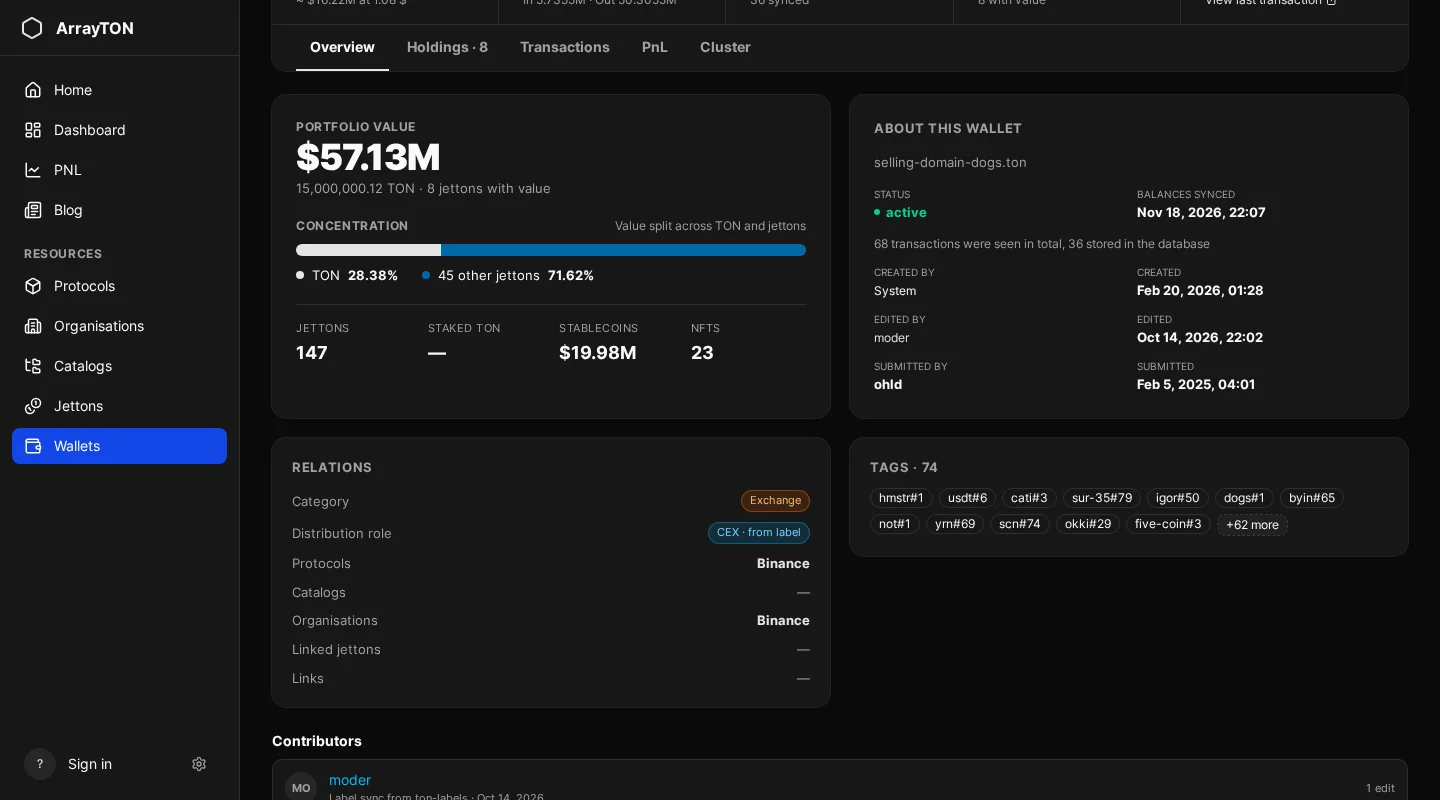
The Overview shows:
- Portfolio value and Concentration: how value is split between TON and jettons, plus counts of jettons, staked TON, stablecoins and NFTs.
- About this wallet: status, when balances were last synced, how many transactions were seen versus stored in the database, who created and edited the entry.
- Relations: category (for example Exchange), distribution role (for example CEX, “from label”), and linked protocols, catalogs, organisations, jettons and links. An organisation or protocol here is the quickest way to learn that an address is an exchange or a team wallet.
- Tags: labels attached to the address (a single exchange can carry dozens).
- Contributors: who added or edited the entry; entries imported by label sync from the ton-labels dataset are marked as such.
No labels do not mean “safe”. It means the portal does not know the address.
Step 3. Holdings
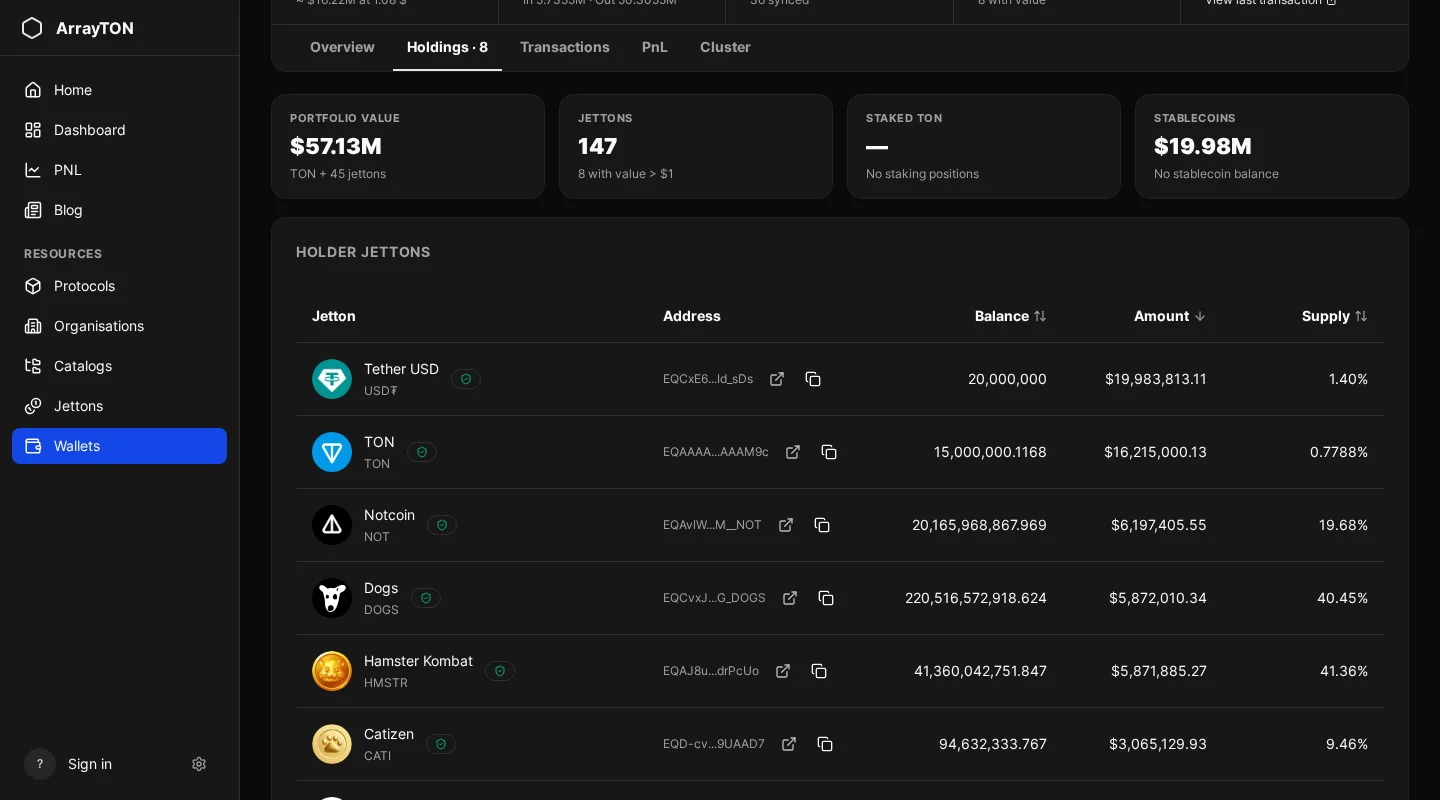
Holdings lists the jettons the wallet holds with balance, USD amount and the share of that jetton’s total supply the wallet owns. Check which jettons make up the value and whether any of them are flagged as Scam on their own pages (how to analyse a jetton).
Step 4. Transactions: who it sends money to and receives from
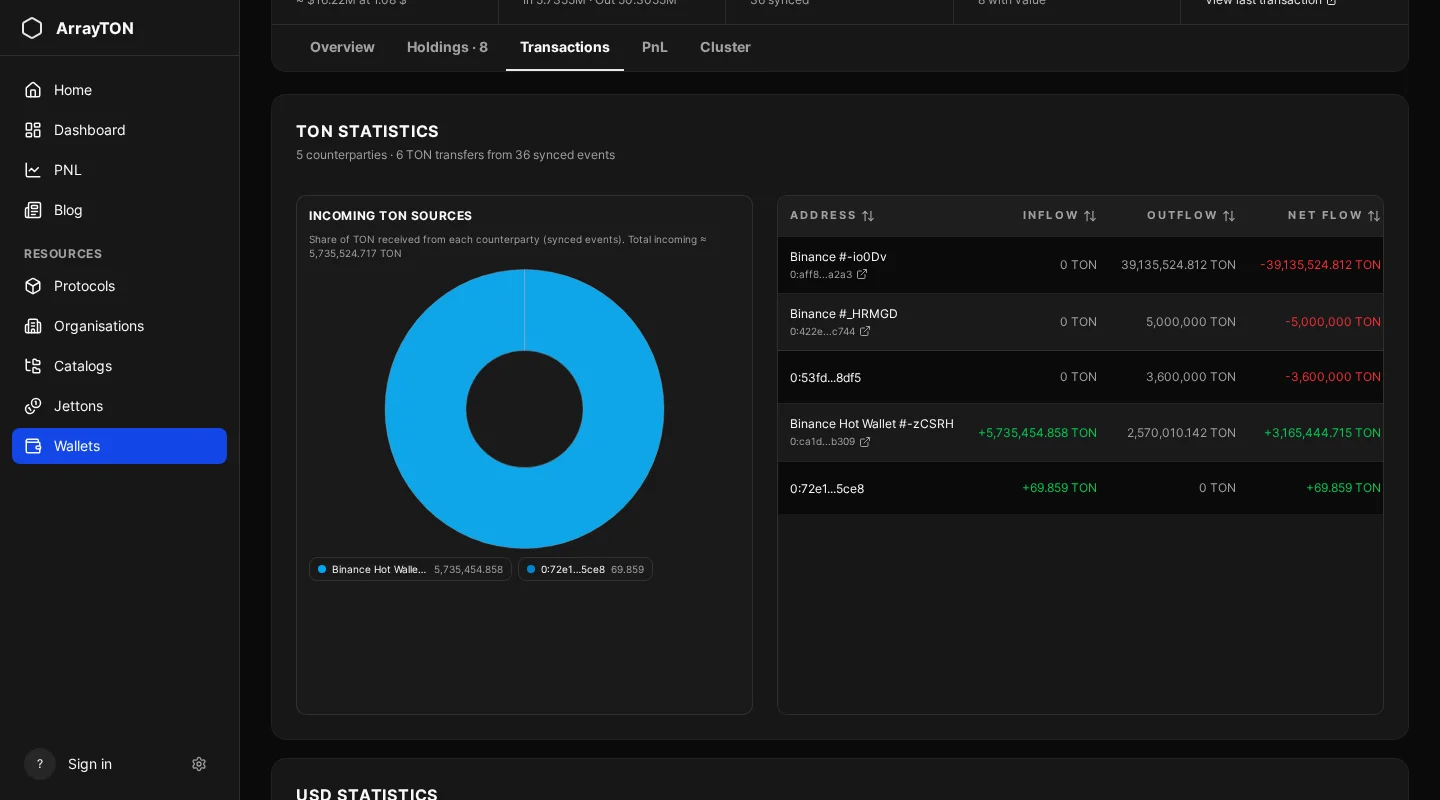
Transactions summarises TON and USD flows by counterparty: incoming sources with their share, and for each address inflow, outflow and net flow with a Details button. It tells you quickly whether a wallet is funded by one source (an exchange, a team wallet) or by many. The figures come from synced events, so check how many transactions are synced.
Step 5. PnL and Cluster
The PnL tab opens the swap profit and loss of the wallet, see wallet PnL. Cluster shows wallets connected to this one where the portal has such data.
Special cases
- Vesting: if the wallet is a vesting contract, the page shows how much is locked, unlocked and when the next unlock is.
- Suspended address: a notice appears with the time left to unlock.
- Incomplete history: badges such as “Incomplete history” or “Small ops folded” mean old rows were removed or small actions were folded into totals. Read them before relying on numbers.
Quick routine for an unknown address
- Is it labelled, and with what?
- Is the balance meaningful, and is the last activity recent?
- What do Holdings show, and is anything flagged?
- Is it funded and emptied by one counterparty?
- Is the history complete enough to trust the numbers?
Frequently asked questions
Can I see the owner’s name? Only if the address is labelled or linked to an organisation. The portal does not de-anonymise wallets.
Why is the USD total missing? No exchange rates were available for some assets at that moment.
Does a Sleep or Dead badge mean the funds are lost? No, it is a classification of activity, not a verdict about funds.
Information on this page is analysis data, not advice.
Next step
See profit and loss: wallet PnL.